






No products in the cart.
Continue ShoppingSprink’s design tool lets you upload, resize, and review artwork directly in the platform. If you prefer to send files later, select “Add Artwork Later & Go to Cart Now” to complete checkout and upload when ready.
Not sure if your file is ready to print? Our system checks resolution, flags potential issues early, and generates an instant proof for review before production begins.
No artwork yet? You can create a design from scratch using our online tool. If questions come up, our support team can walk you through next steps.
Basic Art Guidelines
Clear specs. Faster production. Fewer revisions.
Follow these guidelines to keep your order moving without delays.
Accepted File Types |
PNG, JPG, TIFF, SVG, PDF, HEIC Examples: juicelabel.jpg, juicelabel.png, juicelabel.tiff Using Canva? Export as PDF Print. |
|---|---|
Resolution |
300 DPI recommended for optimal print quality. |
Custom Die Cutting |
Custom shapes may require minor adjustments to meet production requirements. Extremely sharp points, tight curves, or intricate details may be simplified to support durability and consistent cutting. |
Questions? Our support team can review your design before it enters production.
Additional Art Guidelines
For designers, teams, and advanced workflows.
Vector Artwork |
Vector files preferred. Raster files accepted. |
|---|---|
Color Mode |
CMYK and RGB files are accepted. RGB files are converted to CMYK for printing and may appear slightly different than on screen. |
Text & Images |
If uploading your own artwork: • Convert or outline all text • Embed all images |
Caution Zone |
0.625” for labels, 0.125” for stickers and most other products. This is the buffer between your artwork and the final trim edge. It helps account for minor shifts during cutting and keeps designs properly aligned. |
Bleed |
Minimum of 0.125″ for most products. Bleed extends artwork beyond the finished edge to ensure full coverage after trimming. |
Need help preparing files? Contact support before upload.
Professional Printing Process
Consistent print quality, supported by production technology.
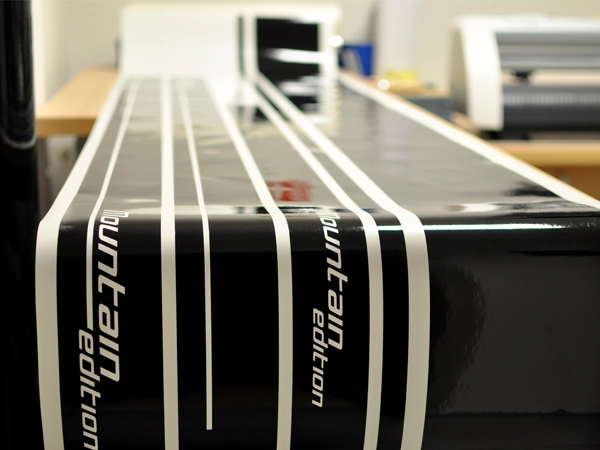
Sprink products are printed using a four-color process. This supports accurate color reproduction, repeatability, and efficient production timelines.
Templates
Speed without starting over.
Our design tool includes templates for labels, stickers, magnets, clings, and more. Choose a standard size or create a custom die-cut shape that matches your artwork. White padding can be added when needed. We handle the rest.

Proofs
Clear approvals before printing begins.
-

Upload artwork in the design tool and receive an instant digital proof. Approve your proof and your order moves directly into production. -
Optional printed samples are available for an additional fee. Review the physical sample before the full run prints. Production does not begin until approval is submitted online. -

If you email your artwork, we send a digital proof for review. If clarification is needed, our team contacts you before production.
We do not print without approval. Once approved, your order moves quickly into production.